
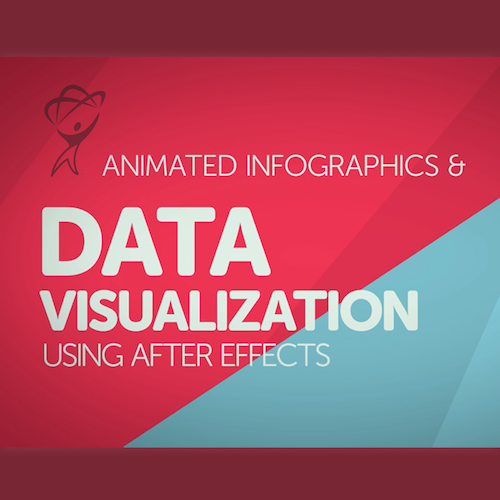
Total Training Animated Infographics & Data Visualization Using After Effects
설명
This “Animated Infographics & Data Visualization Using After Effects” training course is for beginners. Join instructor Daniel Scott as he shows you how to bring boring data to life using Adobe® After Effects® CC. Project Files included! Length: 5 hrs 37 minutes.
Animated Infographics & Data Visualization Using After Effectsstarts with the very basics, taking simple icons and breathing life into them using Adobe After Effects.
The course works through a real life project, connecting Excel® into After Effects to transform your boring spreadsheet data into approachable visual information. We’ll experiment with lighting and cameras. We’ll do some fun things with masking – looking at how important sound is in your presentation, all the way through to exporting for Youtube™, PowerPoint® and all sorts of social media, including animated GIFs.
There are projects for you to complete, so you can practice your skills and use these for your portfolio. There is a cheat sheet, and I’ve got exercise files so you can play along. I will also save my files as I go through each video so that you can compare yours to mine - handy if something goes wrong. What are you waiting for? Lets get making!
What are the requirements?
- You will need a copy of Adobe After Effects, Illustrator & Photoshop CC 2017 or above. 90% of the course will be done in After Effects, but a few things are better done in Illustrator & Photoshop. Free trials can be downloaded from Adobe.
- No previous motion graphic skills are needed.
- No previous After Effects, Illustrator or Photoshop skills are needed.
What am I going to get from this course?
- 48 lectures 5+ hours of well structured content.
- You’ll learn to take Excel spread sheets and animate the data in After Effects.
- You’ll learn how to make animated pie charts, line charts & bar graphs.
- You’ll learn how to create percentage counters.
- You’ll learn how to animate icons making beautiful infographics.
- You’ll learn how to create ’voice over’ infographics.
- You’ll learn all the animation techniques needed to bring your data to life.
- You will have the finished files so you never fall behind.
- Downloadable exercise files & cheat sheet included.
- Techniques used by professional motion graphic designers.
- A wealth of other resources and websites to help your new career path.
What is the target audience?
- This course is for people completely new to After Effects. No previous animation or motion graphic design experienced is necessary.
- This is a relaxed, well paced introduction that will enable you to produce impressive video for your business or organization. Only basic computing skills are necessary - If you can send emails and surf the internet then you will cope well with our course!
시스템 요구 사항
Solid Internet Access via WiFi or Ethernet for Cloud Player through an Internet Browser
Mobile Devices - Apple and Android Phones and Tablets
Desktop Computers - free desktop purple:player app or using an internet browser for the cloud player
*Software is not included
자격 요건
Students, Faculty, Staff
관련 제품
모두 보기
Thor Premium Home 3 Years, 3 PCs
US$199.95
US$49.99

Thor Premium Home 1 Year, 3 PCs
US$99.95
US$24.99
IBM® SPSS® Statistics 25 GradPacks
US$1,210.00
US$34.90
IBM® SPSS® Statistics 26 GradPacks
US$1,210.00
US$34.90
IBM® SPSS® Statistics 27 GradPacks
US$1,210.00
US$34.90
IBM® SPSS® Statistics 28 GradPacks
US$1,210.00
US$34.90
IBM® SPSS® Statistics 29 GradPacks
US$1,210.00
US$37.90
IBM® SPSS® Statistics 25 Faculty Pack
US$259.99
IBM® SPSS® Statistics 26 Faculty Pack
US$259.99
IBM® SPSS® Statistics 27 Faculty Pack
US$259.99
IBM® SPSS® Statistics 28 Faculty Pack
US$259.99
IBM® SPSS® Statistics 29 Faculty Pack
US$285.45

IBM® SPSS® Amos 26
US$34.95
계속 연결하세요
최신 할인 정보를 놓치지 않으려면
이메일*