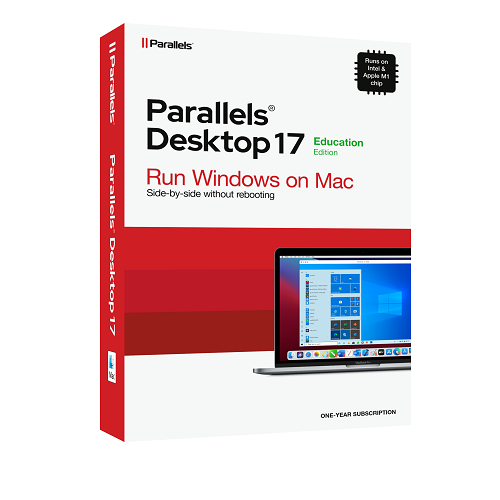
Parallels Desktop 17 for Mac


DESCRIPTION
![]() |
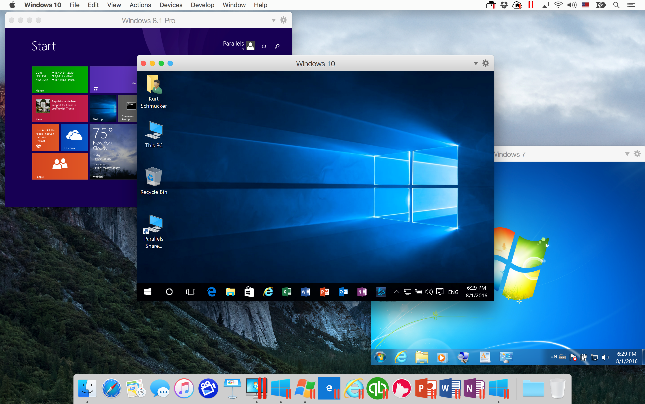
Best of both worlds Run Windows 11 (when released), Windows 10, Windows 8.1, Windows 7, Windows XP, and more side by side with macOS™. |
![]() |
Easily switch from PC to Mac We make it easy to bring all of your files, applications, browser bookmarks, and more from your PC to your Mac with the setup assistant. |
![]() |
Lightning fast Resource-hungry Windows applications run effortlessly without slowing down your Mac, and Microsoft® Office is faster than ever. |
![]() |
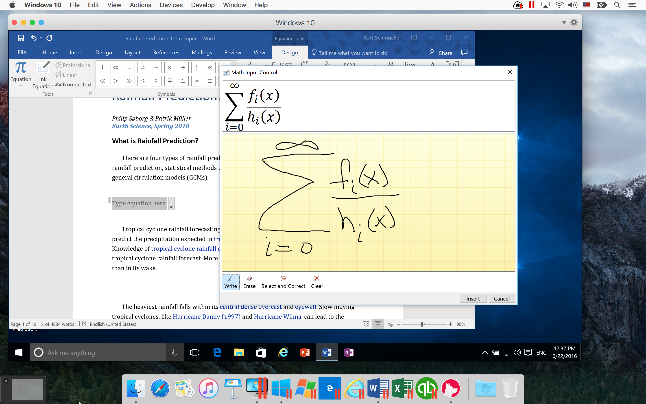
Use Windows applications with ease Launch Windows applications right from the Dock. Use Mac gestures in Windows and copy & paste and drag & drop between Windows and Mac applications. |
![]() |
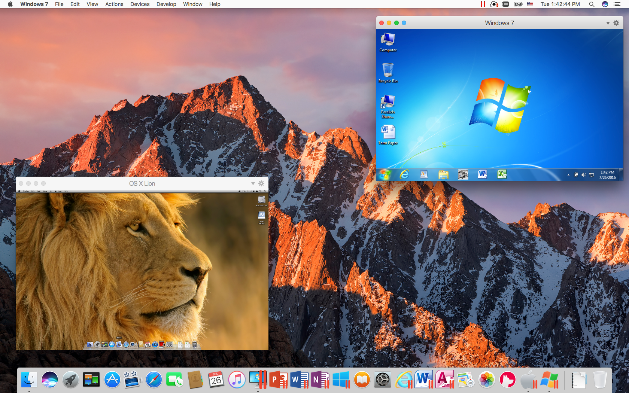
Not just for Windows Run a wide array of operating systems including macOS, Windows 11, 10, 8.1 and 7, Linux, Google Chrome™, and others. |
![]() |
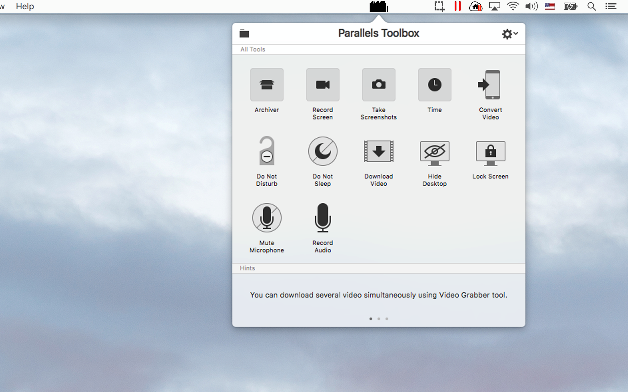
Parallels Toolbox for Mac Parallels Toolbox for Mac makes it easy to perform dozens of essential daily tasks on your Mac—at the low price of a single app. Take screenshots, secure private files with a password, convert Facebook or YouTube videos, and much more. From Mac newcomers to the Mac pro, everyone will enjoy this collection of well-designed tools and utilities. |
Windows on your Mac
Versatile for home, office, and school
Whether you are a home user, a business professional, a student, or a passionate gamer, the new Parallels Desktop 17 for Mac enables one Mac to handle all of your computing needs. Run the PC programs your work or school requires and the Mac applications you love. A Mac-centric office can still run the business-critical PC applications that you, your customers, and your partners need, and accessing Windows-based files for school or university just works.
A must-have in the Mac-based workspace. Designed for your Mac to be faster, easier, and more powerful.
Key Features
- Run Windows and Mac applications side by side
- Uncompromised performance
- Supports Windows 10 and 11 (when released) and is ready for macOS Monterey
- Parallels Toolbox for Mac
- Parallels Access
- Works with Boot Camp®
- One-click tuning to optimize performance
- “New to Mac” videos to easily get you started
Quote
Phenomenal. The primary reason I hadn’t switched to all Apple® devices for work and home was because I was unaware of a reliable way to operate my Windows required apps on my Mac. That has all changed with Parallels Desktop for Mac.—Ryan W
SYSTEM REQUIREMENTS
Hardware:
- Processor: Apple M1 chip, Intel Core 2 Duo, Core i3, Core i5, Core i7, Core i9, Intel Core M or Xeon processor
- Memory: 4 GB of RAM (16 GB is recommended)
- Storage: Storage 600 MB for Parallels Desktop application installation. Additional disk space for the guest operating system (at least 16 GB is required for Windows 10). SSD drive is recommended for best performance
-
Graphics: Apple M1 chip, Intel, AMD Radeon, or NVIDIA
- Internet connection is required for product activation, updates, and select features.
Mac Software:
- macOS Monterey 12 (when released)
- macOS Big Sur 11.1 or newer
- macOS Catalina 10.15.7 or newer
- macOS Mojave 10.14.6 or newer
- macOS High Sierra 10.13.6 or newer
Supported Guest Operating Systems (Mac with Apple M1 chip):
Only ARM versions of operating systems are supported.
- Windows 11 (when released)
- Windows 10 on ARM Insider Preview
- Ubuntu Linux 21.04, 20.10, 20.04
- Fedora Workstation 34, 33-1.2
- Debian GNU/Linux 10.7
- Kali Linux 2021.2, 2021.1
- macOS Monterey 12 (when released)
Supported Guest Operating Systems (Mac with Intel processors):
- Windows 11 (when released)
- Windows 10
- Windows 8.1
- Windows 8
- Windows Server 2022
- Windows Server 2019
- Windows Server 2016
- Windows Server 2012 R2
- Windows 7 (SP0-SP1)
- Windows Server 2008 R2 (SP0-SP2)
- Windows Vista Home, Business, Ultimate and Enterprise (SP0-SP2)
- Windows Server 2003 R2 (SP0-SP2)
- Windows XP (SP0-SP3)
- Windows 2000 Professional SP4
- Windows 2000 Server SP4
- Boot2Docker
- Red Hat Enterprise Linux (RHEL) 8, 7 and 6
- CentOS Linux 8, 7, 6
- Fedora Linux 34, 33, 32, 31
- Ubuntu 21.04, 20.10, 20.04, 19.04, 18.04 LTS, 16.04 LTS
- Debian GNU/Linux 10, 9
- Suse Linux Enterprise 15
- OpenSUSE Linux 15.2, 15.1, 15
- Linux Mint 20, 19, 18
- Kali 2020.2, 2019, 2018
- Elementary OS 5
- Manjaro 21, 18
- Mageia 7
- Gentoo Linux **
- Solaris 11, 10 **
- openBSD 6 **
- FreeBSD 12, 11 **
- openVZ 7
- eComStation 2, 1.2 **
- ReactOS 0.4 **
- Android OS*
- macOS Monterey 12 (when released)
- macOS Big Sur 11
- macOS Catalina 10.15
- macOS Mojave 10.14
- macOS High Sierra 10.13
- macOS Sierra 10.12
- OS X El Capitan 10.11
- OS X Yosemite 10.10
- OS X Mavericks 10.9
- OS X Mountain Lion 10.8
- OS X Lion 10.7
- OS X Lion Server 10.7
- Mac OS X Snow Leopard Server 10.6
- Mac OS X Leopard Server 10.5
- and many more...
Moving Your PC?
- 700 MHz (or higher) x86 or x64 processor (Intel or AMD)
- 256 MB of RAM
- 50 MB of available hard disk space for installation of Parallels Transporter Agent
- Ethernet or WiFi network adapter for migrating over network
- External USB drive for migrating via external disk
- Supported Windows: Windows 10, Windows 8.1, Windows 7, Windows Vista, Windows XP, Windows Server 2003 and Windows 2000 *
ELIGIBILITY
RELATED PRODUCTS
View All